Scanning classes for src/test/resources/META-INF/persistence.xml
So, as you all know, you can define a persistence unit as:
<persistence>
	<persistence-unit name="myPersistenceUnit">
		<provider>org.hibernate.ejb.HibernatePersistence</provider>
		<jta-data-source>myDataSource</jta-data-source>
		<properties>
			<property name="hibernate.hbm2ddl.auto" value="update" />
			<property name="hibernate.show_sql" value="true" />
			<property name="hibernate.ejb.naming_strategy" value="org.hibernate.cfg.DefaultComponentSafeNamingStrategy"/>
		</properties>
	</persistence-unit>
</persistence>
So your persistence unit is depending on a JTA datasource which is configured in your application server.
Now, you want to run some tests from Eclipse/Netbeans/... without using the datasource of the application server. Then the persistence.xml could look like this:
<persistence>
	<persistence-unit name="myTestPersistenceUnit">
		<provider>org.hibernate.ejb.HibernatePersistence</provider>

		<properties>
			<property name="hibernate.connection.url"
				value="jdbc:oracle:thin:@myServer:myPort:myDataBase" />
			<property name="hibernate.connection.username" value="myUserName" />
			<property name="hibernate.connection.password" value="myPassword" />
			<property name="hibernate.connection.driver_class" value="oracle.jdbc.driver.OracleDriver" />
			<property name="hibernate.dialect" value="org.hibernate.dialect.Oracle10gDialect" />
			<property name="hibernate.hbm2ddl.auto" value="create" />
			<property name="hibernate.cache.use_query_cache" value="false" />
			<property name="hibernate.cache.use_second_level_cache"
				value="false" />
			<property name="hibernate.show_sql" value="true" />
			<property name="hibernate.format_sql" value="true" />
		</properties>
	</persistence-unit>
</persistence>
To use this persistence.xml, you could use the following abstract class (from which you will extend your unit testing)
public abstract class AbstractTransactionalDBUnitTest {
   private EntityManagerFactory emf;
   private EntityManager entityManager;
   private CachedDataSet cachedDataSet;
   private IDatabaseConnection con;
   private String persistenceUnitName = "myTestPersistenceUnit";

   /**
    * Creates a normal AbstractTransactionalDBUnitTest
    */
   public AbstractTransactionalDBUnitTest() {
      // DO NOTHING
   }

   /**
    * Creates an AbstractTransactionalDBUnitTest, but based on another persistence unit
    * @param aPersistenceUnitName the name of the persistence unit that will need to be used
    */
   public AbstractTransactionalDBUnitTest(String aPersistenceUnitName) {
      this.persistenceUnitName = aPersistenceUnitName;
   }

   /**
    * Initialize the database by creating an {@link EntityManagerFactory}
    */
   @BeforeClass
   public void initDB() {
	   try {
		   this.emf = Persistence.createEntityManagerFactory(this.persistenceUnitName);
	   } catch (PersistenceException pe) {
		   pe.printStackTrace();
	   }
   }

   /**
    * Gets an {@link EntityManager} from the {@link EntityManagerFactory}
    *
    * @return an {@link EntityManager}
    */
   public EntityManager getEntityManager() {
      if (this.entityManager == null) {
         this.entityManager = this.emf.createEntityManager();
      }
      return this.entityManager;
   }

   /**
    * Prepare the database with test data before every method. Starts a transaction.
    *
    * @throws IOException when there's a problem reading the XML file with test data
    * @throws DatabaseUnitException when there's a problem with the DBUnit (config, setup, ...)
    * @throws SQLException when there's a prolem with the SQL statements
    */
   @SuppressWarnings("deprecation")
   @BeforeMethod
   public void beforeMethod() throws IOException, DatabaseUnitException, SQLException {
      IDataSetProducer producer = new CustomFlatXmlProducer(new InputSource(this.getDataFileName()), false, true);
      this.cachedDataSet = new CachedDataSet(producer);
      Session session = (Session) this.getEntityManager().getDelegate();
      con = new DatabaseConnection(session.connection());
      con.getConfig().setProperty(DatabaseConfig.PROPERTY_DATATYPE_FACTORY, new OracleDataTypeFactory());
      con.getConfig().setFeature(DatabaseConfig.FEATURE_SKIP_ORACLE_RECYCLEBIN_TABLES, true);
      con.getConfig().setFeature(DatabaseConfig.FEATURE_QUALIFIED_TABLE_NAMES, true);
      this.getEntityManager().getTransaction().begin();
      DatabaseOperation.REFRESH.execute(con, this.cachedDataSet);
   }

   /**
    * Ends the transaction after every method
    */
   @AfterMethod
   public void afterMethod() {
      if (this.getEntityManager().getTransaction().isActive()) {
         this.getEntityManager().getTransaction().rollback();
      }
      try {
         con.close();
      } catch (SQLException e) {
         // absorbed
      }
   }

   /**
    * Closes the {@link EntityManagerFactory}
    *
    * @throws DatabaseUnitException when there's a problem with the DatabaseUnitException
    * @throws HibernateException when there's a problem with Hibernate
    * @throws SQLException when there's a problem with SQL
    */
   @AfterClass
   public void closeDB() throws HibernateException, DatabaseUnitException, SQLException {
      this.emf.close();
   }

   /**
    * Gets the name of the file on which test data is located This method has to be overwritten for every DAO test class
    *
    * @return the name of the file on which test data is located
    */
   public abstract String getDataFileName();

}
Now, the problem you will run into is that your classes will not be scanned. This is normal, as you're not having the functionality of the J2EE server. No scanning is no registration of your classes in the persistence unit.
To solve this, I implemented a scenario like this:
- scan target folder on classes with the annotation Entity
- manually attach those classes to the EntityManagerFactory (which holds the EntityManager)
- open transaction
- fill up DB with test data
- run tests
- close transaction
To scan the target folder, you can use the Scannotation framework. Now, you just have to add the scanned classes:
        AnnotationDB db = new AnnotationDB();
        db.setScanFieldAnnotations(false);
        db.setScanMethodAnnotations(false);
        db.setScanParameterAnnotations(false);

        File f = new File("target/classes/");
        URL url = new URL("file://" + f.getAbsolutePath() + "/");
        db.scanArchives(url);

        Map < String, Set < String >> annotationIndex = db.getAnnotationIndex();
        // get all entity annotated entity classes from the package we are
        // interested.
        Set < String > entities = annotationIndex.get(Entity.class.getName());
        CollectionUtils.filter(entities, new Predicate() {
            public boolean evaluate(final Object someObject) {
                String className = (String) someObject;
                return className.startsWith("be.jochusonline.cms.model");
            }
        });

        AnnotationConfiguration cfg = new AnnotationConfiguration();
        cfg.setProperty(Environment.DIALECT, DB_DIALECT);

        // Add all entity classes to the annotation config.
        for (String entityName : entities) {
            cfg.addAnnotatedClass(Class.forName(entityName));
        }
 In november vorig jaar heb ik een
  ... na enkele maanden ben ik geabonneerd op hun podcast. Iedere week brengen zij een prachtige, 2uur durende, set uit. De sets liggen op in de auto, thuis, op 't werk, ... echt ... overal :-). Ik durf zelfs zeggen ... en jawel, iedereen weet dat ik MEGA fan ben van Tiësto, dat ik ze beter vind dan Tiësto.


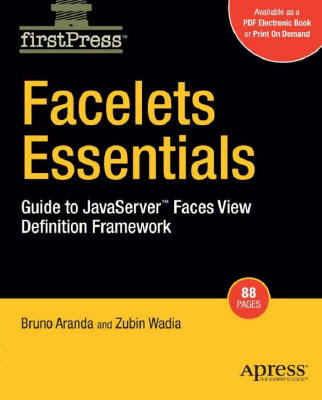 Some time ago, a colleague at work recommended me this book. It's really small (only counts 84 pages), but it's really good written! It reads fast en it makes a new Facelets developer very easy to start working with Facelets.
 Een tijdje geleden blogte ik over een switch van Windows naar Ubuntu op het werk (zie
  Environment variables provide a way to influence the behavior of software on the system. For example, the "LANG" environment variable determines the language in which software programs communicate with the user.